VideoShow
Screenshots
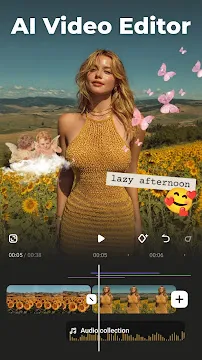
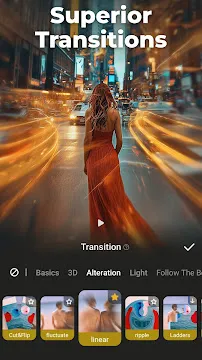
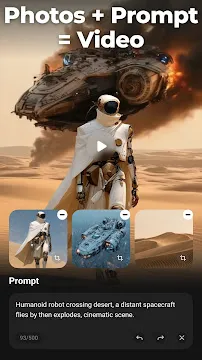
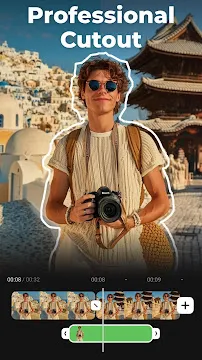
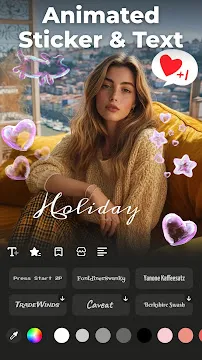
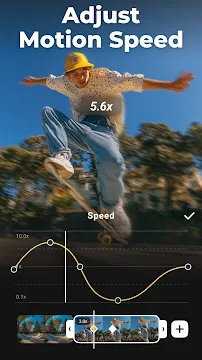

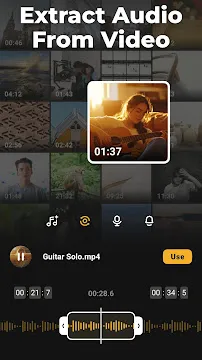
VideoShow is a popular mobile video editing tool. It helps you create professional-looking movies on your smartphone. Many people use this app to make content for social media. You can merge photos and videos into one file. The app offers many tools to change how your clips look. You do not need to be an expert to use it. The interface is very simple and easy to navigate. Beginners can start editing within minutes. You can add music, text, and effects to your projects. This app makes the editing process fun and fast.
What is VideoShow?
VideoShow is an all-in-one editor for mobile users. It allows you to trim, crop, and flip your videos easily. You can combine several clips into a single movie. The app supports many formats, so you can work with different types of files. It includes a variety of themes that you can apply with one tap. These themes change the mood of your video instantly.
Furthermore, the app provides a wide range of filters. You can make your footage look like a classic movie or a bright pop art piece. The developers update the app regularly to add new features. This ensures you always have the latest tools for your creative work. It is a great choice for vloggers and casual users alike.
Essential editing tools in VideoShow
VideoShow includes every basic tool you need for daily editing. You can cut out unwanted parts of a clip. You can also split a long video into several smaller pieces. If you have a video that is upside down, the rotate tool fixes it quickly. Moreover, you can change the aspect ratio to fit different social platforms. This helps your content look perfect on every screen.
Here are some of the most common tools you will find:
- Video trimming and cutting.
- Merging multiple clips into one.
- Zooming in or out on specific scenes.
- Adjusting the playback speed.
- Compacting videos to save storage space.
Additionally, the speed control feature is very useful. You can create slow-motion effects for dramatic scenes. You can also speed up boring parts to keep your viewers interested. These tools give you full control over the pacing of your story.
Adding creative elements with VideoShow
VideoShow offers many ways to make your videos unique. You can add stickers and emojis to give your clips more personality. There are hundreds of fonts available for your subtitles. You can change the color and size of the text to match your style. This makes it easy to add titles or explanations to your work.
Similarly, the app has a large library of transitions. These help you move smoothly from one scene to the next. You can choose from simple fades or more complex animations. Transitions help your video look polished and professional. Moreover, you can use the “Doodle” feature to draw directly on the screen. This is a fun way to point things out or add hand-drawn art to your clips.
Audio and music features
Good sound is just as important as good visuals. This app allows you to add background music to your projects. You can choose songs from the built-in library or use your own files. The app lets you adjust the volume of the music and the original video sound. This ensures that your voice is always clear over the background track.
In addition to music, you can record voiceovers. This is perfect for tutorials or storytelling. You can speak directly into the app while watching your video. Furthermore, there are many sound effects to choose from. You can add laughter, applause, or nature sounds to enhance the atmosphere. These audio tools help you create a more immersive experience for your audience.
Exporting and sharing your work
Once you finish editing, you need to save your project. The app offers several export options. You can save your video in high definition for the best quality. If you have a slow internet connection, you can choose a lower resolution. This makes it easier to upload your work to the web.
The sharing process is very direct. You can send your video to social media apps with just one click. You can also save it to your phone’s gallery or send it via email. The app processes the files quickly, so you do not have to wait long. Consequently, you can share your favorite moments with friends and family almost instantly.
Advanced features for better content
The app also includes some advanced options for power users. For example, you can use the “Chroma Key” tool. This allows you to remove a green screen and replace the background. This is a great way to create special effects without expensive equipment. You can also layer videos on top of each other using the “Picture in Picture” mode.
Additionally, the app allows you to convert videos to MP3 files. This is helpful if you only want the audio from a specific clip. You can also use the GIF maker to turn short clips into looping animations. These extra features make the app very useful for different types of creative projects.
Conclusion
VideoShow provides a simple way to create high-quality videos. It combines basic editing tools with advanced creative features. You can add music, text, and transitions without any trouble. The app is easy to learn and works well for many different tasks. Whether you are making a short clip for fun or a long video for a channel, this app helps you get the job done. It is a reliable tool for anyone who wants to edit on the go.